
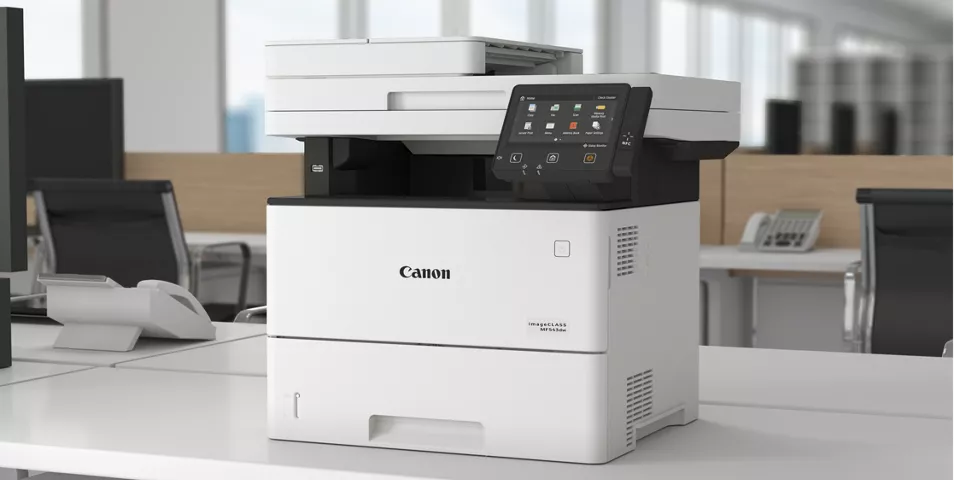
Choosing the right office printer is an important decision for small and mid-size businesses in Santa Barbara and Ventura Counties. Whether you’re managing legal documents, printing marketing materials, or supporting hybrid teams, Canon offers a robust lineup of office printers designed to meet a wide range of business needs — from cost-efficient multifunction devices to high-capacity laser printers built for heavier workloads.
In this guide, we’ll highlight the best Canon office printers for 2026, what makes each one great, and how to choose one that’s right for your workplace.
Why Canon Printers Are a Smart Choice for Local Businesses
Canon has a reputation for reliability, strong feature sets, and flexible connectivity, making their printers a popular choice for small and mid-size businesses. Many Canon models feature:
- Multifunction capabilities (print/scan/copy/fax) ideal for office workflows
- Wireless & mobile printing support (AirPrint, Canon PRINT app)
- High-quality output for documents and marketing materials
- Cost-efficient prints with options for high-yield consumables (Canon U.S.A.)
By partnering with local office print solution providers like DocuProducts, businesses in Santa Barbara and Ventura can get expert guidance on selecting and maintaining Canon office printers — including installation, service plans, and managed print services that improve productivity and reduce printing costs.
Top Canon Printers for Small & Mid-Size Businesses in 2026
Here’s a breakdown of strong Canon office printers worth considering this year:
1. Canon imageCLASS MF753Cdw — Best All-Around Office Printer
The imageCLASS MF753Cdw consistently ranks as one of the best multifunction laser printers for offices that need a balance of speed, quality, and ease of use. It handles printing, scanning, copying, and faxing in one device.
Why This Is Great for Business:
- Fast print speeds and solid monthly duty cycles
- Built-in wireless and mobile printing support
- ENERGY STAR® rated for efficiency
- Intuitive color touchscreen and easy desktop setup (RTINGS.com)
Best For: Small to mid-size offices in Santa Barbara & Ventura requiring a reliable everyday workhorse.
2. Canon imageCLASS MF656Cdw — Versatile Color Laser Multifunction
A reliable option for teams that produce color documents, this printer delivers sharp text and vibrant color with duplex printing and mobile connectivity.
Key Features:
- Network and wireless printing
- Automatic duplexing
- Multifunction capabilities
- Suitable for mixed workloads (documents, flyers, reports) (FindThisBest)
Best For: Offices that need a mix of color and black-and-white printing without sacrificing speed or usability.
3. Canon MAXIFY GX7020 / GX4020 — MegaTank Ink Printers
For offices that want lower ongoing operating costs, Canon’s MegaTank MAXIFY series features refillable ink tanks that deliver a low cost per page while still offering print, scan, copy, and fax functions.
Best Business Benefits:
- Exceptionally low cost-per-print
- Strong performance for mid-volume printing
- Wireless & Ethernet connectivity (TechRadar)
Best For: Small offices and remote teams that print frequently and want to cut down on consumable costs.
4. Canon imageCLASS X ICXC1333iF — Solid Performer for Busy Offices
If you need dependable color output with good speed and paper handling, the Canon imageCLASS X ICXC1333iF balances performance and usability.
Highlights:
- Color laser printing at business-ready speeds
- Large paper capacity with expandable trays
- Easy touchscreen navigation (WriteUpCafe)
Best For: Growing businesses that print a mix of client presentations, training materials, and internal documents.
How to Choose the Right Canon Printer for Your Business
Selecting the best Canon model depends on your company’s needs. Consider the following:
🔹 1. Print Volume
If your business prints hundreds of pages monthly, choose a laser-based model with a higher duty cycle. For lighter print loads but frequent use, MegaTank ink printers offer low operating costs.
🔹 2. Print Functions
Do you need scanning and copying built in? Most business workflows benefit from multifunction printers (MFPs) that support all of these tasks in one device. (Canon U.S.A.)
🔹 3. Connectivity
Make sure your printer supports wireless printing, mobile apps (AirPrint), and network connectivity so employees can print from any device.
🔹 4. Running Costs
Factor in toner or ink costs. MegaTank models reduce ongoing supply costs, while laser devices typically offer faster speeds for high-volume printing.
Local Printer Solutions & Support
Once you’ve narrowed down your Canon printer choice, the next step is ensuring it’s configured and managed to support your daily operations reliably. That’s where DocuProducts comes in.
DocuProducts provides:
- Professional setup and installation
- Ongoing service and maintenance
- Managed print solutions tailored to your office workflow
- Local support for businesses throughout Santa Barbara and Ventura Counties
Whether you need help comparing models, estimating total cost of ownership, or setting up a printer fleet, DocuProducts’ experts can guide you every step of the way.
👉 Contact DocuProducts to get personalized recommendations for the best Canon office printer for your business today.
🏁 Final Thoughts
Canon continues to lead the office printer market in 2026 with devices that cater to everything from everyday document printing to high-volume color workflows. By choosing the right Canon printer and pairing it with local support from a trusted provider like DocuProducts, small and mid-size businesses in Santa Barbara and Ventura can boost productivity while controlling costs.
Whether you’re streamlining office workflows, supporting hybrid teams, or preparing professional client materials, there’s a Canon solution that can help your business thrive.