by gelliott | Jan 27, 2026 | Business, Business Printers, Canon, Office Equipment
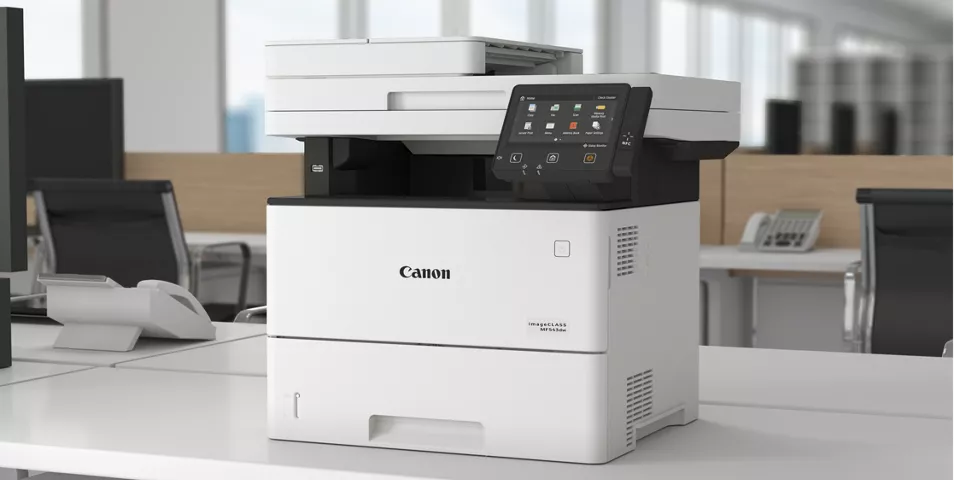
Choosing the right office printer is an important decision for small and mid-size businesses in Santa Barbara and Ventura Counties. Whether you’re managing legal documents, printing marketing materials, or supporting hybrid teams, Canon offers a robust lineup of office printers designed to meet a wide range of business needs — from cost-efficient multifunction devices to high-capacity laser printers built for heavier workloads.
In this guide, we’ll highlight the best Canon office printers for 2026, what makes each one great, and how to choose one that’s right for your workplace.
Why Canon Printers Are a Smart Choice for Local Businesses
Canon has a reputation for reliability, strong feature sets, and flexible connectivity, making their printers a popular choice for small and mid-size businesses. Many Canon models feature:
- Multifunction capabilities (print/scan/copy/fax) ideal for office workflows
- Wireless & mobile printing support (AirPrint, Canon PRINT app)
- High-quality output for documents and marketing materials
- Cost-efficient prints with options for high-yield consumables (Canon U.S.A.)
By partnering with local office print solution providers like DocuProducts, businesses in Santa Barbara and Ventura can get expert guidance on selecting and maintaining Canon office printers — including installation, service plans, and managed print services that improve productivity and reduce printing costs.
Top Canon Printers for Small & Mid-Size Businesses in 2026
Here’s a breakdown of strong Canon office printers worth considering this year:
1. Canon imageCLASS MF753Cdw — Best All-Around Office Printer
The imageCLASS MF753Cdw consistently ranks as one of the best multifunction laser printers for offices that need a balance of speed, quality, and ease of use. It handles printing, scanning, copying, and faxing in one device.
Why This Is Great for Business:
- Fast print speeds and solid monthly duty cycles
- Built-in wireless and mobile printing support
- ENERGY STAR® rated for efficiency
- Intuitive color touchscreen and easy desktop setup (RTINGS.com)
Best For: Small to mid-size offices in Santa Barbara & Ventura requiring a reliable everyday workhorse.
2. Canon imageCLASS MF656Cdw — Versatile Color Laser Multifunction
A reliable option for teams that produce color documents, this printer delivers sharp text and vibrant color with duplex printing and mobile connectivity.
Key Features:
- Network and wireless printing
- Automatic duplexing
- Multifunction capabilities
- Suitable for mixed workloads (documents, flyers, reports) (FindThisBest)
Best For: Offices that need a mix of color and black-and-white printing without sacrificing speed or usability.
3. Canon MAXIFY GX7020 / GX4020 — MegaTank Ink Printers
For offices that want lower ongoing operating costs, Canon’s MegaTank MAXIFY series features refillable ink tanks that deliver a low cost per page while still offering print, scan, copy, and fax functions.
Best Business Benefits:
- Exceptionally low cost-per-print
- Strong performance for mid-volume printing
- Wireless & Ethernet connectivity (TechRadar)
Best For: Small offices and remote teams that print frequently and want to cut down on consumable costs.
4. Canon imageCLASS X ICXC1333iF — Solid Performer for Busy Offices
If you need dependable color output with good speed and paper handling, the Canon imageCLASS X ICXC1333iF balances performance and usability.
Highlights:
- Color laser printing at business-ready speeds
- Large paper capacity with expandable trays
- Easy touchscreen navigation (WriteUpCafe)
Best For: Growing businesses that print a mix of client presentations, training materials, and internal documents.
How to Choose the Right Canon Printer for Your Business
Selecting the best Canon model depends on your company’s needs. Consider the following:
🔹 1. Print Volume
If your business prints hundreds of pages monthly, choose a laser-based model with a higher duty cycle. For lighter print loads but frequent use, MegaTank ink printers offer low operating costs.
🔹 2. Print Functions
Do you need scanning and copying built in? Most business workflows benefit from multifunction printers (MFPs) that support all of these tasks in one device. (Canon U.S.A.)
🔹 3. Connectivity
Make sure your printer supports wireless printing, mobile apps (AirPrint), and network connectivity so employees can print from any device.
🔹 4. Running Costs
Factor in toner or ink costs. MegaTank models reduce ongoing supply costs, while laser devices typically offer faster speeds for high-volume printing.
Local Printer Solutions & Support
Once you’ve narrowed down your Canon printer choice, the next step is ensuring it’s configured and managed to support your daily operations reliably. That’s where DocuProducts comes in.
DocuProducts provides:
- Professional setup and installation
- Ongoing service and maintenance
- Managed print solutions tailored to your office workflow
- Local support for businesses throughout Santa Barbara and Ventura Counties
Whether you need help comparing models, estimating total cost of ownership, or setting up a printer fleet, DocuProducts’ experts can guide you every step of the way.
👉 Contact DocuProducts to get personalized recommendations for the best Canon office printer for your business today.
🏁 Final Thoughts
Canon continues to lead the office printer market in 2026 with devices that cater to everything from everyday document printing to high-volume color workflows. By choosing the right Canon printer and pairing it with local support from a trusted provider like DocuProducts, small and mid-size businesses in Santa Barbara and Ventura can boost productivity while controlling costs.
Whether you’re streamlining office workflows, supporting hybrid teams, or preparing professional client materials, there’s a Canon solution that can help your business thrive.
by gelliott | Sep 26, 2025 | Business Printers, Copier, Office Equipment
When it comes to running a business in Santa Barbara or Ventura County, the right office printer can make a world of difference. Whether you’re managing a law office in Ventura, a creative firm in Santa Barbara, or a growing business in Thousand Oaks, investing in the right printer saves time, cuts costs, and keeps your team productive.
Here are the top features you should prioritize when shopping for your next office printer, along with local insights and resources.
1. Multifunction / All-in-One Capabilities
Modern offices need more than just printing. A multifunction printer (MFP) that handles printing, scanning, copying, and faxing provides more functionality in a compact footprint.
- Look for duplex scanning (double-sided scans in one pass).
- Ensure your printer has an automatic document feeder (ADF) for scanning multi-page files efficiently.
See the best all-in-one printers reviewed by Tom’s Guide for an overview of top-rated options.
2. Print Speed & Duty Cycle
Your office’s print volume matters. For heavy use, you’ll want:
- High pages-per-minute (ppm) speed
- A duty cycle that exceeds your expected monthly usage
- Short warm-up times between jobs
RTINGS tested and ranked the best office printers based on speed, reliability, and real-world performance.
3. Cost per Page & Supplies
Consumables are often the largest long-term expense. Pay attention to:
- High-yield toner or ink cartridges
- Printers with refillable ink tanks
- Whether the printer requires separate drum and cartridge replacements
Making the right choice here will significantly reduce your cost-per-page over time.
4. Connectivity & Cloud Printing
Your next office printer should support flexible connectivity:
- Wi-Fi & Ethernet for office networks
- AirPrint for Apple users (AirPrint details)
- Google Cloud Print alternatives and IPP for seamless driverless printing (Internet Printing Protocol)
- USB-C or walk-up USB ports for direct printing
This ensures employees in the office and remote workers can connect easily.
5. Security Features
Security is often overlooked but critical for sensitive documents. Look for:
- Secure print release (PIN or card authentication)
- Encrypted connections (SSL/TLS)
- User authentication & audit logs
- Regular firmware updates from the manufacturer
Xerox office printers are well-known for advanced document security features.
6. Scalability & Paper Handling
As your business grows, your printer should grow with you:
- Multiple input trays for different paper types
- Large-capacity feeders
- Support for specialty media (envelopes, card stock)
- Optional finishing tools (stapling, folding, hole-punching)
These features make in-house production of marketing and client documents much easier.
7. Local Service & Reliability
Even the best machines need occasional maintenance. For businesses in Santa Barbara and Ventura County, having local service support is essential.
That’s where DocuProducts comes in. With over 25 years serving Santa Barbara, Ventura, and Los Angeles counties, they provide:
- Office printers and copiers
- Managed print services (MPS)
- Local on-site service and fast response times
By choosing a local provider like DocuProducts, you get reliable equipment and ongoing support tailored to the unique needs of businesses in our region.
Bonus Tip: Managed Print Services (MPS)
If your office printing needs are complex, consider Managed Print Services. An MPS program helps:
- Monitor print usage
- Automate supply refills
- Reduce downtime and costs
- Improve document security
Learn more about managed print services in Santa Barbara & Ventura.
Final Thoughts
Choosing the right office printer isn’t just about speed or cost — it’s about finding a machine that can grow with your business while staying reliable. By focusing on multifunction capabilities, cost efficiency, connectivity, and security — and working with a trusted local partner like DocuProducts — your office will be set up for long-term success.
👉 Ready to upgrade your office printer? Contact DocuProducts in Santa Barbara & Ventura County for personalized recommendations and local service support.
by gelliott | Jul 24, 2025 | Business, Business Printers, News
In today’s fast-paced digital world, marketers are constantly seeking ways to stand out amid the noise of email inboxes, online ads, and social media feeds. While many believe print is obsolete, the reality tells a different story—especially in local markets like Santa Barbara and Ventura, California. Print marketing is experiencing a quiet resurgence, and with it, the humble copier is making a comeback as a powerhouse of creativity, branding, and tangible connection.
Let’s explore why print marketing isn’t dead, how the copier is more relevant than ever, and what this means for businesses in Santa Barbara and Ventura that want to reestablish authentic, effective customer outreach.
The Digital Overload: Why Print Is Making a Comeback
It’s no secret that digital marketing dominates most marketing budgets. However, it’s also no secret that consumers are increasingly overwhelmed by the barrage of online content.
Studies show that:
- Email open rates are declining, with average open rates hovering around 20% or lower depending on industry.
- Banner blindness causes users to ignore even prominent digital ads.
- Ad fatigue sets in quickly, leading to poor engagement and ROI over time.
In contrast, print materials offer a tactile, memorable experience. Direct mail pieces are physically handled, seen, and even saved. In a study by the United States Postal Service and Temple University’s Center for Neural Decision Making, print ads triggered more activity in areas of the brain associated with value and desire. Participants also remembered print ads better than digital ones.
For businesses in coastal California markets like Santa Barbara and Ventura, where community matters and relationships are vital, this kind of emotional and mental engagement can’t be overlooked.
What’s Fueling the Return of Print Marketing in Santa Barbara and Ventura?
Santa Barbara and Ventura County are known for their local pride, environmental awareness, and an appreciation for artisan, high-quality experiences. These factors have helped usher in a renewed appreciation for physical, well-crafted marketing pieces.
Here are a few local trends that support print’s return:
1. High-Income Demographics Favor Print
With median household incomes in Santa Barbara and Ventura exceeding national averages, the population skews toward professionals and retirees who are more receptive to traditional marketing. High-value customers often prefer personalized, professional-looking materials over digital spam.
2. A Rise in Boutique Businesses and Local Services
From local wineries in the Santa Ynez Valley to high-end salons in Ventura and law firms in downtown Santa Barbara, small businesses are seeking unique ways to connect with their target markets. Customized brochures, high-quality business cards, real estate flyers, and personalized mailers have become part of their branding toolkits.
3. Tourism and Events
Events like the Ventura County Fair or Santa Barbara’s Old Spanish Days Fiesta bring thousands of visitors and participants each year. Flyers, posters, printed tickets, and event guides are essential tools—and copiers help create them quickly, affordably, and beautifully.
Direct Mail Marketing Is Having a Renaissance
Direct mail was once viewed as outdated or ineffective. Today, it’s becoming a star player again—especially when it’s hyper-targeted and locally relevant.
Why Direct Mail Works
- It’s tangible. It physically lands in your customer’s mailbox—no spam filters or “Promotions” tabs to contend with.
- It feels personal. When customized, it’s seen as a thoughtful gesture, especially when paired with local imagery or familiar landmarks.
- It gets results. According to the Data & Marketing Association (DMA), direct mail response rates are 5–9 times higher than email or social media ads.
Businesses in Santa Barbara and Ventura are using this to their advantage, with postcards for home remodeling services, menus from new restaurants, nonprofit fundraising letters, and real estate marketing packets all making their way back into local mailboxes.
The Copier Is the Secret Weapon Behind Print’s Comeback
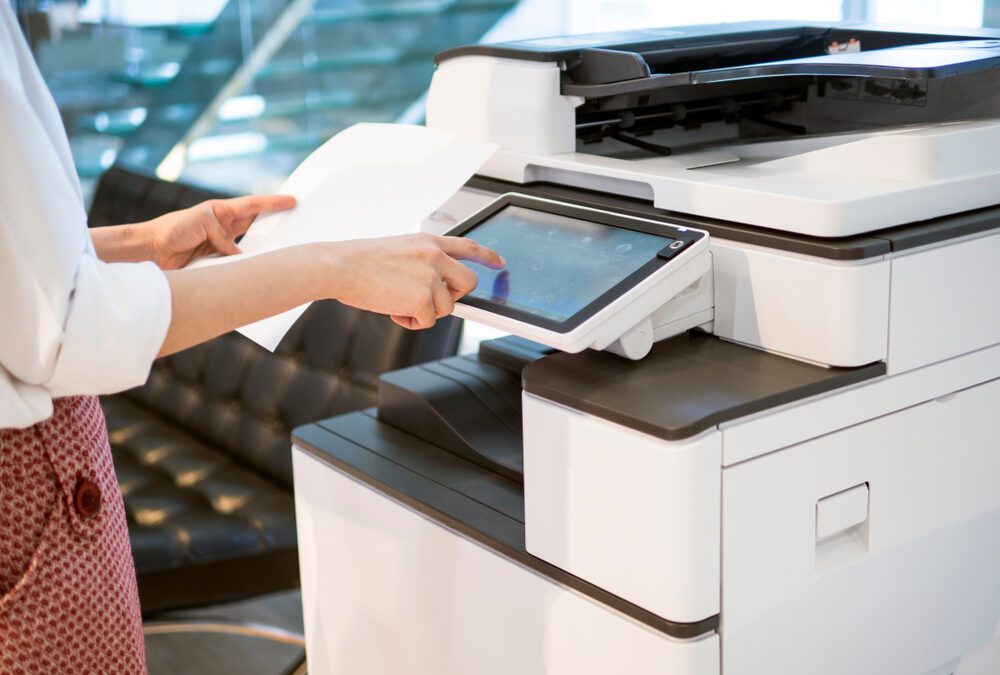
It might sound surprising, but the office copier is central to this print resurgence. Modern Multifunction Printers (MFPs) are not just for internal memos anymore. They’re high-speed, high-resolution, multi-purpose marketing machines.
Advanced Capabilities of Modern Copiers
Today’s copiers can:
- Print on glossy or textured paper
- Fold, staple, and bind documents automatically
- Produce high-definition color prints that rival commercial print shops
- Personalize each piece using variable data printing
- Scan and digitize content for hybrid digital/print campaigns
Local Business Use Cases
- Real Estate Offices in Montecito and Camarillo use high-resolution copiers to produce sleek, glossy listing brochures and “Just Listed” postcards.
- Wedding Planners in Ojai print event packages, floral arrangement guides, and stationery on specialty paper.
- Nonprofits in Ventura use their copiers for annual reports, fundraising appeals, and community newsletters.
- Santa Barbara Art Galleries create artist bios, event programs, and invitation cards in-house—saving costs and preserving quality.
Environmental Sustainability and Local Printing
Given the eco-conscious values of residents in Santa Barbara and Ventura, print marketing must also be environmentally responsible. Fortunately, copier technology has evolved significantly in this area.
Eco-Friendly Copier Features
- Energy-efficient operations with automatic shutoff and low-power modes
- Recycled paper compatibility
- Toner recycling programs
- Duplex (double-sided) printing to reduce paper waste
- Digital previewing and print auditing tools to reduce unnecessary print runs
Brands like Canon, Kyocera, and HP have released copiers with ENERGY STAR certification and sustainable manufacturing practices, making it easier for businesses to align their values with their marketing methods.
Integrating Print with Digital: Best of Both Worlds
Print doesn’t have to replace digital—it can enhance it. When used together, print and digital strategies often outperform either method alone.
Ways to Combine Print with Digital:
- QR Codes on Flyers that lead to your website, event RSVP page, or product video.
- Personalized URLs (PURLs) on postcards for tracking individual campaign performance.
- Printed Coupons that link back to digital rewards or loyalty programs.
- Scannable Brochures that sync with mobile apps or AR (Augmented Reality) features.
For instance, a Ventura fitness center might mail out a beautifully designed postcard with a QR code linking to a free trial sign-up. A Santa Barbara vineyard could distribute printed tasting menus embedded with a link to join their wine club online.
Copiers & MFPs as a Local Business Asset
Whether you’re a startup, established enterprise, or nonprofit organization, investing in or leasing a high-quality copier in the Santa Barbara or Ventura area is a smart move. Here’s why:
Benefits of a Local Copier/MFP Setup:
- Cost-efficiency: Outsourcing every small print job gets expensive. In-house copiers lower cost per piece.
- Quick turnaround: Last-minute flyers, proposals, or presentation materials? No problem.
- Full control over quality and branding
- Scalable: From 10 flyers to 10,000, copiers can handle a range of needs.
Choosing the Right Copier for Your Business
Here are a few tips for businesses in Ventura and Santa Barbara when choosing a copier for marketing use:
1. Identify Your Needs
Do you print large volumes daily? Need booklet finishing features? Color or black and white?
2. Choose Reputable Brands
Top-performing copier brands for marketing materials include:
- Canon – Known for vivid color printing and ease of use.
- Kyocera – Excellent for high-volume and eco-friendly printing.
- HP – Strong in security and smart connectivity.
- Zebra (for labels and packaging) – Great for product-based businesses.
3. Consider Managed Print Services (MPS)
Many local providers offer Managed Print Services, where they maintain your copier, monitor toner levels, and provide usage reports. It’s a stress-free way to keep marketing operations running smoothly.
Local Providers Make a Difference
Partnering with a local copier service provider in Ventura or Santa Barbara ensures fast service, personalized support, and industry-specific expertise.
Local vendors often understand the unique seasonal demands of the area—whether it’s printing wedding brochures during spring, tourist guides in summer, or nonprofit mailers during the holiday giving season.
They also help businesses stay compliant with California’s environmental printing regulations and offer eco-conscious paper sourcing.
Conclusion: It’s Time to Rethink Print—and the Copier
For businesses in Santa Barbara and Ventura looking to cut through the digital clutter, build trust, and make a memorable impact, print marketing is not just alive—it’s thriving. And at the center of this print renaissance is the copier: smarter, faster, and more creative than ever.
From stunning brochures and engaging direct mail to custom event materials and QR-enhanced flyers, the copier has become a cornerstone tool for modern, tactile, and highly effective marketing.
Don’t overlook the power sitting in your office corner. Reinvest in your copier—and reimagine what your business can create.
by gelliott | May 14, 2025 | Business Printers, Office Equipment
At DocuProducts, we understand that printer issues can disrupt your business operations. Southern California’s unique climate and environmental factors can sometimes exacerbate these problems. Here’s a guide to common printer issues and practical solutions to keep your office running smoothly.
Paper Jams
Causes and Solutions:
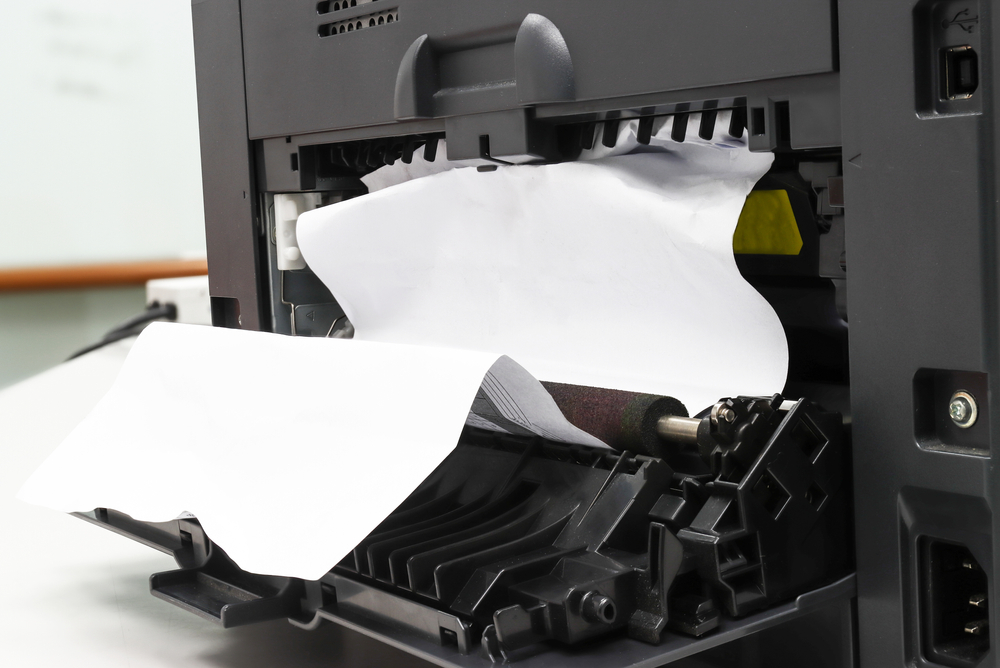
Paper jams are among the most frequent printer problems. They can occur due to overfilled paper trays, misaligned paper guides, or the presence of foreign objects within the printer. To mitigate paper jams:
- Avoid Overfilling Paper Trays: Ensure that paper trays are filled to their recommended capacity to prevent excessive pressure on the feed mechanism, which can lead to jams.
- Align Paper Guides Correctly: Adjust paper guides to fit the paper size accurately, ensuring that the paper feeds smoothly into the printer.
- Regularly Inspect for Debris: Periodically check both the paper tray and the printer’s interior for any paper scraps, staples, or other debris that could obstruct paper flow. Consult your printer’s manual for safe cleaning procedures.
Slow Printing Speeds
Causes and Solutions:
Slow printing can be attributed to various factors, including high-resolution settings, duplex printing, and outdated drivers. To enhance printing speeds:
- Optimize Print Settings: For documents that don’t require high detail, select draft or standard print modes to prioritize speed over quality.
- Disable Duplex Printing When Not Needed: If double-sided printing isn’t essential, opt for single-sided printing to reduce processing time.
- Update Printer Drivers Regularly: Ensure that printer drivers are current to maintain compatibility with operating systems and to benefit from performance improvements.
- Adjust Print Resolution Appropriately: Use high-resolution settings only for documents where quality is paramount, as higher resolutions can slow down printing.
Poor Print Quality
Causes and Solutions:
Issues such as faded, blurry, or incomplete prints often stem from problems with ink cartridges, printheads, or paper quality. To improve print quality:
- Utilize Printer Maintenance Features: Use the printer’s head cleaning function to clear any obstructions in the printhead, ensuring consistent ink flow.
- Choose Appropriate Paper: Select paper that matches your printer type (laser or inkjet) to ensure proper ink or toner adhesion and to prevent smudging.
- Adjust Print Settings Based on Paper Type: Tailor print settings to suit the paper being used, optimizing quality and preventing issues like ink bleed or paper jams.
Wi-Fi Connectivity Issues
Causes and Solutions:
Connectivity problems can hinder wireless printing capabilities. To resolve these issues:
- Perform a Power Cycle: Restart your printer, router, and any connected devices to refresh network connections and resolve minor glitches.
- Check Firewall and Security Settings: Ensure that firewall or antivirus software isn’t blocking the printer’s access to the network. Adjust settings as necessary to permit communication.
- Re-establish Network Connections: Verify that the printer is connected to the correct Wi-Fi network and that network credentials are up to date.
- Consult Manufacturer Support: If connectivity issues persist, reach out to the printer manufacturer’s support team for specialized assistance.
Error Messages
Causes and Solutions:
Printers may display error messages that are difficult to interpret without proper guidance. To address these:
- Refer to the User Manual: Consult the printer’s user manual to understand the meaning of specific error codes and recommended troubleshooting steps.
- Contact Technical Support: If the error persists, contact the printer manufacturer’s technical support for detailed assistance.
- Perform Regular Maintenance: Regular servicing can prevent many errors related to hardware malfunctions or software conflicts.
High Printing Costs
Causes and Solutions:
Uncontrolled printing can lead to significant expenses. To manage and reduce printing costs:
- Implement Managed Print Services (MPS): MPS providers, such as DocuProducts, offer solutions to streamline printer management, monitor usage, and eliminate wasteful printing behaviors. They assist in consolidating costs and ensuring that businesses have the right printing equipment in optimal locations.
- Adopt Energy-Efficient Practices: Choose printers that are ENERGY STAR® certified to reduce energy consumption, aligning with Southern California’s sustainability goals.
- Regularly Service Printers: Routine maintenance can prevent costly repairs and extend the lifespan of printing equipment, reducing the need for frequent replacements.
Inadequate Printer Support and Maintenance
Causes and Solutions:
Without reliable support, printer issues can lead to prolonged downtime. To ensure consistent printer performance:
- Partner with Local Service Providers: Collaborate with local repair services that offer timely and efficient support. For instance, DocuProducts provides on-site repair services across Santa Barbara and Ventura, ensuring businesses experience minimal disruptions.
- Establish Maintenance Contracts: Secure maintenance agreements that include regular servicing, priority support, and predictable costs, ensuring that printers operate optimally and that issues are addressed promptly.
Conclusion
For businesses in the Los Angeles, Santa Barbara, and Ventura counties, maintaining efficient and reliable printing operations is essential. By understanding common printer issues and implementing proactive solutions, businesses can enhance productivity, reduce costs, and support environmental sustainability. Collaborating with local service providers and adopting managed print services can further streamline printing processes, allowing businesses to focus on their core objectives while ensuring that their printing needs are met effectively.
by gelliott | Apr 2, 2025 | Business, Business Printers, Office Equipment
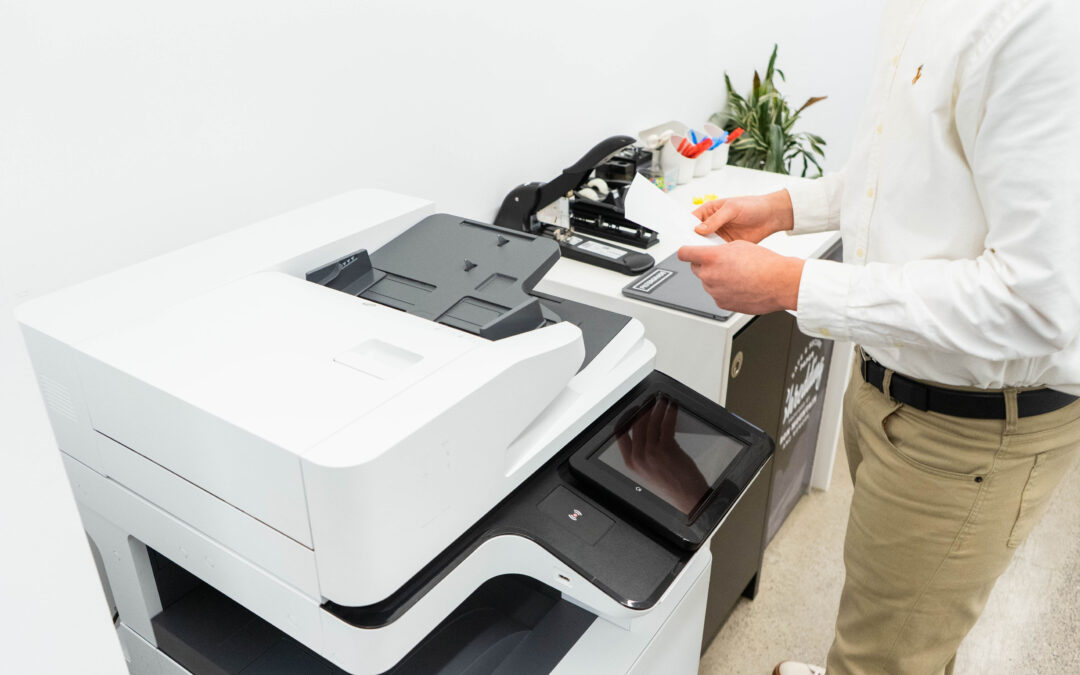
In the competitive landscape of Ventura & Santa Barbara, businesses need to stay ahead in every aspect, including their printing capabilities. Whether you’re a small startup or an established corporation, having the right commercial printer is essential for day-to-day operations, marketing materials, customer communications, and more. However, deciding whether to rent, lease, or buy a commercial printer is a significant decision that requires careful consideration. With a range of options available and specific needs unique to each business, understanding the pros and cons of each choice can help you make the best decision.
This guide will provide Ventura & Santa Barbara-based businesses with an in-depth look at the options available when it comes to commercial printing. We’ll explore the advantages and disadvantages of renting, leasing, or buying a commercial printer, as well as the factors to consider when making this decision. We’ll also offer insights specific to the Southern California market, addressing local suppliers, customer support, and how the region’s diverse business landscape impacts your decision-making process.
Understanding Your Printing Needs
Before diving into the specifics of renting, leasing, or buying a printer, it’s important to understand your unique printing needs. Ventura & Santa Barbara is a large and diverse area, home to industries ranging from entertainment to tech, healthcare, and law. The kind of printing your business requires will largely determine which option is best suited for you.
Types of Commercial Printers
Commercial printers vary greatly depending on their purpose and the volume of printing you do. Some common types of printers used by businesses include:
- Laser Printers: These are ideal for businesses that require high-quality, fast, and cost-efficient printing for text-heavy documents. Laser printers are typically used in offices that produce a lot of reports, contracts, or invoices.
- Inkjet Printers: Inkjet printers are excellent for high-quality color prints and are often used for marketing materials, brochures, and product images. While slower and less cost-effective for high-volume printing than laser printers, inkjets are a good choice for businesses with a strong visual focus.
- Wide-Format Printers: These printers are used for large-scale prints such as banners, signs, posters, and architectural drawings. These are commonly used by businesses in advertising, construction, and design.
- Multifunction Printers (MFPs): These devices combine printing, scanning, and copying in one unit, making them highly versatile for businesses that need an all-in-one solution.
Each type of printer will have different requirements in terms of space, cost, and maintenance, and it’s essential to assess what your business needs before making a decision.
Renting a Commercial Printer
Renting a commercial printer can be an attractive option for businesses that need high-quality prints on a temporary or short-term basis. This option is especially popular for companies that don’t print frequently but need a reliable, top-tier printer for special projects or peak seasons.
Pros of Renting a Commercial Printer
- Lower Initial Investment: Renting a printer requires minimal upfront investment compared to purchasing a machine outright. In cities like Ventura & Santa Barbara, where capital costs can be high, renting can free up funds for other areas of your business.
- Short-Term Flexibility: If your printing needs are seasonal or project-based, renting offers the flexibility to only pay for the machine when you need it. This can be beneficial if you only require a commercial printer for a short-term marketing campaign or a specific event.
- Maintenance and Support Included: Most rental agreements come with maintenance packages, meaning you won’t have to worry about repair costs or troubleshooting issues. Ventura & Santa Barbara businesses benefit from local support, as rental providers in the area often offer on-site repairs or remote assistance.
- Up-to-Date Technology: Renting allows you to access the latest models with the newest features. This is a significant advantage for businesses that need advanced printing capabilities but don’t want to commit to the latest technology long-term.
Cons of Renting a Commercial Printer
- Higher Long-Term Costs: While renting may seem affordable in the short run, rental agreements can become costly over time, especially if you need to rent for extended periods. If your printing needs are consistent, renting may end up being more expensive than purchasing a printer outright.
- Limited Customization: When renting, you are often limited to the specific models available through the rental company, which may not always align perfectly with your unique business needs. You may not have access to customization options that a purchased printer might offer.
- Contractual Obligations: Rental agreements often come with set terms, which can be restrictive. Businesses in the Los Angeles area may find that rental agreements are not as flexible as they need them to be, especially if their printing needs change rapidly.
- Wear and Tear: Over time, rented equipment may show signs of wear and tear from previous users. While rental companies typically maintain the printers, this may still impact the quality of your print jobs.
Best For:
Businesses in Ventura & Santa Barbara that only need commercial printing for short-term projects, events, or seasonal needs, as well as companies that prioritize flexibility and low upfront costs.
Leasing a Commercial Printer
Leasing a commercial printer combines some of the best features of both renting and buying. Leasing allows you to use the printer for an extended period while making monthly payments. It’s a great option for businesses that need the reliability of a printer for long-term use but prefer not to commit to a large upfront investment.
Pros of Leasing a Commercial Printer
- Lower Initial Cost: Like renting, leasing doesn’t require a large upfront cost, making it an attractive option for businesses in Ventura & Santa Barbara that need to preserve cash flow. Leasing spreads the cost of the printer over time, making it easier for businesses to manage their finances.
- Maintenance and Service Packages: Leasing agreements often come with included service and maintenance packages, so you don’t have to worry about additional repair or upkeep costs. In Ventura & Santa Barbara, leasing providers may offer fast response times for service calls, ensuring minimal downtime.
- Access to High-End Technology: Leasing allows businesses to use high-end commercial printers without the need for large capital investment. You can access state-of-the-art technology and features for the duration of your lease term.
- Tax Benefits: Leasing a printer may provide certain tax benefits, as lease payments can often be deducted as a business expense. This could be particularly beneficial for businesses in Ventura & Santa Barbara looking to reduce their tax burden.
- Option to Purchase: Most leasing agreements allow you the option to buy the printer at the end of the lease term. If the printer is still meeting your needs and in good condition, this can be a great way to continue using the equipment without additional financial burden.
Cons of Leasing a Commercial Printer
- Total Cost Over Time: While leasing spreads out the cost, it can end up being more expensive than buying the printer outright. Over the term of the lease, you may pay more than the printer’s original purchase price.
- Contractual Restrictions: Leasing agreements come with certain restrictions, including limited customization options and requirements for regular service checks. In the diverse business landscape of Ventura & Santa Barbara, some businesses may find these restrictions limiting.
- Long-Term Commitment: Leasing typically involves committing to a long-term agreement, which might not be ideal for businesses in Ventura & Santa Barbara that anticipate changing needs or that may want to upgrade to a different model before the lease term expires.
Best For:
Businesses in Ventura & Santa Barbara that want a long-term solution but prefer to avoid the upfront costs of purchasing a printer outright. Leasing is ideal for companies that require consistent printing capabilities and access to reliable service and maintenance.
Buying a Commercial Printer
Buying a commercial printer is the most significant investment option, but it also provides the highest level of control and ownership over your equipment. This option is best suited for businesses with consistent, high-volume printing needs and a long-term outlook.
Pros of Buying a Commercial Printer
- Long-Term Cost Savings: While buying a printer requires a significant upfront investment, it often results in lower costs over the long term compared to renting or leasing. Once the printer is paid for, you own it outright, eliminating recurring monthly payments.
- Full Control Over the Printer: Owning the printer allows you to make modifications, upgrade parts, and fully customize the device to your specific needs. This is a huge advantage for businesses that have specialized printing needs.
- No Contractual Obligations: Unlike leasing, buying a printer means you are not bound by long-term contracts or terms. You have the freedom to upgrade or replace your printer whenever you see fit without worrying about penalties or commitments.
- Tax Deductions for Capital Investments: Purchasing a printer is a capital expense, which may offer tax benefits, such as depreciation deductions. Businesses in Ventura & Santa Barbara that invest in equipment may be able to deduct a portion of the cost over time.
Cons of Buying a Commercial Printer
- High Upfront Cost: The most significant downside of buying a commercial printer is the high initial cost. For many businesses in Ventura & Santa Barbara, especially small businesses or startups, this upfront expense may be prohibitive.
- Maintenance and Repairs: As the owner of the printer, you are responsible for maintenance and repairs. While some manufacturers offer service contracts, the cost of repairs and downtime can be a major concern, particularly for high-volume businesses.
- Outdated Technology: Technology evolves rapidly, and commercial printers can become outdated as new models with better features are released. If you own the printer, you may need to pay for upgrades or replacements sooner than expected.
Best For:
Businesses in Ventura & Santa Barbara with consistent, high-volume printing needs that want to avoid long-term rental or lease agreements and have the capital to invest in a commercial printer upfront.
Factors to Consider When Deciding Between Renting, Leasing, or Buying
When choosing whether to rent, lease, or buy a commercial printer for your business in Ventura & Santa Barbara, there are several factors to consider:
- Printing Volume: The more you print, the more advantageous buying or leasing may become. Renting is ideal for short-term or low-volume printing.
- Budget and Cash Flow: If upfront costs are a concern, renting or leasing can be a better option. However, if you have the capital to invest in a printer, buying may offer better long-term value.
- Technological Needs: If your business requires specialized printing features or high-end equipment, leasing or buying may provide more flexibility in terms of upgrades and customization.
- Service and Support: Renting and leasing agreements typically include maintenance services, which can be a significant advantage for businesses that require uninterrupted service.
Conclusion
In Ventura & Santa Barbara, where businesses face unique challenges and opportunities, renting, leasing, or buying a commercial printer all come with their own set of benefits and drawbacks. The best option for your business depends on your printing needs, budget, and long-term plans. Renting may offer flexibility for short-term needs, leasing can provide a balance of cost-efficiency and reliability for long-term use, while buying gives you full control over your equipment. By considering your business’s unique requirements and evaluating the pros and cons of each option, you can make an informed decision that supports your growth and success in the competitive Southern California market.
Page 1 of 1112345...10...»Last »